

This article will guide you on how you can restore your MySQL Database on a Web Hosting server. There might be two situations when you may need to use this guide. First is in case you want to Restore to a New MySQL Database or Restore to an Existing MySQL Database. If you want to Restore to a New MySQL Database then go through the section “a”, otherwise skip to section “b”.
a. Create a New MySQL Database If you are hosting your web application for the first time under the Hosting Account or want to have a New MySQL Database to be used with your web application, the first thing you need to do is Create New MySQL Database. The steps to create a New MySQL Database differ from one Hosting Control Panel to another. Below are steps to Create New MySQL Database in Windows Parallels Plesk Hosting Control Panel.
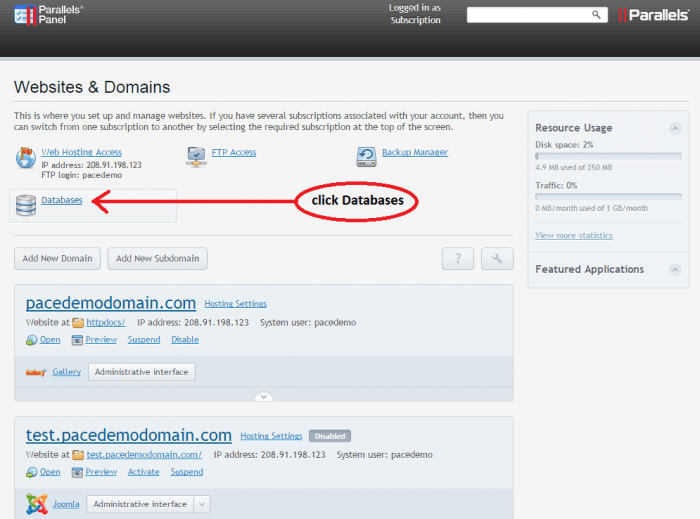
i. Login to your Plesk account. On the Homepage, click on the “Databases” icon from the list.
ii. Then click on the “Add New Database” option on the page to get a form. Fill in the database name you desire and also create a database username and password. Make sure you select MySQL in Database Type. Then finally click on “OK” to create the database which will then appear in the list under Databases section.
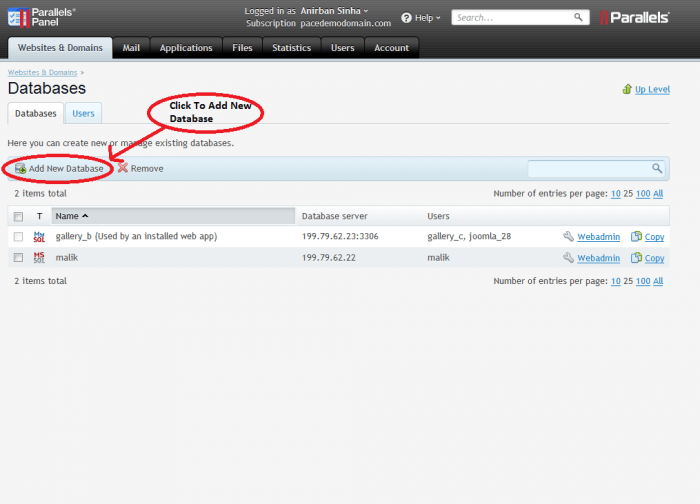
For Linux cPanel Hosting Control Panel, the MySQL Database creation process is really simplified by the “MySQL Database Wizard” option available under the “Database” section on homepage of cPanel. NOTE:You will need to change the Data source/Server name, Database name, Database Username and Database password in your application’s connection String as created above.
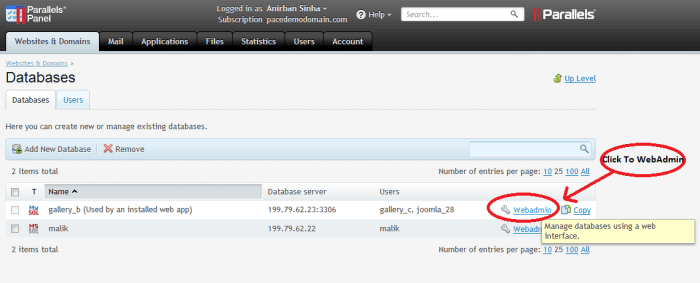
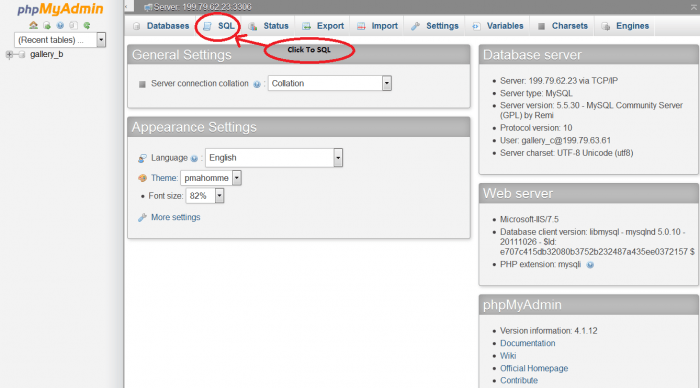
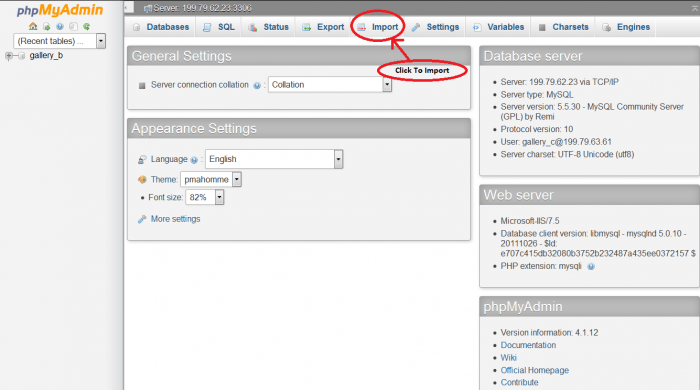
b. Restore your MySQL Database Once your database is already created, the next step is to launch PHPMyAdmin which is a web based MySQL Database management tool. You can find PHPMyAdmin option under following sections depending upon the Hosting Control Panel you are using. Parallels Plesk – Go to Databases section from Homepage and click on “Webadmin” link to the right of the Database in the list you want to restore.